Does Microsoft Authenticator Work in China? Offline Codes, the Account Layer & Cloud Backup
Microsoft Authenticator computes its verification codes offline on the phone, so an app that's already set up keeps working inside mainland China — and, unlike some overseas apps, Microsoft's endpoints are reachable, not blocked. What depends on the network is the Microsoft-account layer (sign-in, push approvals, cloud backup, restore and sync); the one cross-border-data wrinkle is optional cloud backup, which copies your 2FA credentials to a Microsoft account offshore.
Does Microsoft Authenticator work in China?
Whether Microsoft Authenticator works in China is mostly an access question, not a data-residency one — and, unlike some overseas consumer apps, it is not blocked. The app computes its verification codes offline on the phone, so a device that is already set up keeps producing valid codes inside mainland China; what depends on the network is the Microsoft-account layer around them.
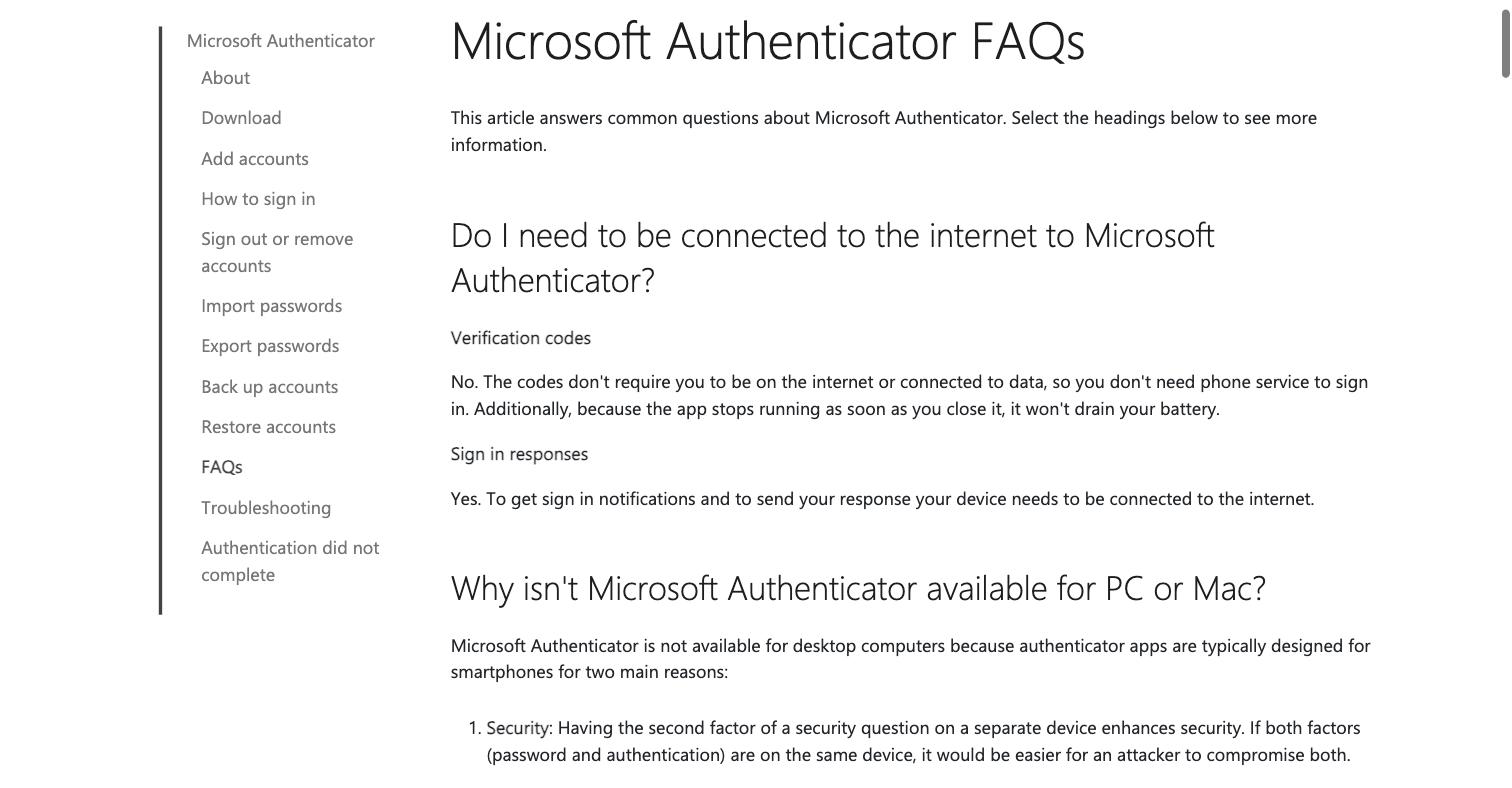
In Microsoft's own words, "The codes don't require you to be on the internet or connected to data, so you don't need phone service to sign in" — whereas push approvals do, because to receive a notification and send your response "your device needs to be connected to the internet." Those account-bound features (sign-in, push approvals, cloud backup, restore and multi-device sync) reach Microsoft's servers, which answered from our mainland probes rather than failing — the caveat is that cross-border round-trips can be slower and intermittent, not that they are walled off. The one narrower compliance angle: switch on cloud backup and your credentials are copied to a Microsoft account whose consumer infrastructure sits outside the mainland. The table below separates the offline part from the account-dependent and cross-border pieces.
This is an exposure picture, not a verdict — most of the data question disappears if cloud backup stays off, and the rest turns on your role and volumes. Our China team can map your exposure with you →
Compliance snapshot
- ✓ Codes generate offline — an app that's already set up keeps producing valid codes in China
- ! Sign-in, push approvals, cloud backup, restore and sync all reach Microsoft's account layer — Microsoft says notifications need an internet connection
- ✓ Microsoft's public endpoints were reachable from the mainland in our probes — not blocked
- ! Optional cloud backup copies your 2FA credentials to a Microsoft account offshore — a cross-border question under PIPL
- ✓ Lower-exposure path: keep cloud backup off so credentials stay on the device
What Microsoft Authenticator App's documentation says, and what we measured from inside China
| Fact | Primary source |
|---|---|
| In Microsoft's own words, the codes are generated on the device: "The codes don't require you to be on the internet or connected to data, so you don't need phone service to sign in." Microsoft Authenticator can compute a time-based one-time password from a secret held on the phone and the device clock, so an app that is already set up keeps producing valid codes inside mainland China even when the account layer behind it is slow to reach. | Microsoft Support — Common questions about the Microsoft Authenticator app, retrieved 2026-10-07 |
| Push approvals are the opposite — they need the network. On the same page Microsoft states that for sign-in notifications, "To get sign in notifications and to send your response your device needs to be connected to the internet." So the approve-with-one-tap flow, unlike the offline code, completes a round trip to Microsoft on every use — which from inside the mainland is a cross-border round trip. | Microsoft Support — Common questions about the Microsoft Authenticator app, retrieved 2026-10-07 |
| Cloud backup is optional, and it copies your credentials off the device. Microsoft's backup guide tells Android users to "Select a Microsoft personal account where the backup will be stored" (on iOS the backup rides on iCloud). [Inference: Microsoft runs its consumer Microsoft-account identity infrastructure outside mainland China — the in-country Microsoft 365 / Azure partition operated locally by 21Vianet is separate and is not used by a personal Authenticator backup — so credentials backed up through the Microsoft-account path come to rest on Microsoft servers offshore.] If backup stays off, the credentials never leave the phone. | Microsoft Support — Back up and recover account credentials in the Authenticator app, retrieved 2026-10-07 |
| Only that optional backup raises a cross-border-data question. If an organization has staff or users back up their Authenticator credentials to a Microsoft account, those credentials leave China for Microsoft's servers abroad — a cross-border transfer of personal information under PIPL Chapter III (notice, separate consent, and one statutory transfer mechanism). The weight of that duty scales with role and volume: since the CAC's March 2024 cross-border rules, a non-CIIO moving fewer than 100,000 individuals' non-sensitive personal information in a calendar year is exempt from the security assessment, the standard contract and certification. [Inference: authentication credentials tied to identified people are best treated as personal information, and conservatively as sensitive — confirm the threshold and your classification with counsel rather than reading the exemption as an all-clear.] | PIPL Chapter III, Articles 38–43; CAC — Provisions on Promoting and Regulating Cross-border Data Flows, March 2024 |
In 21YunBox's China delivery census, Microsoft's public properties were reachable from inside the mainland — the opposite of a block. From a residential broadband line in Beijing on 2026-08-30, Microsoft's Authenticator product page completed every requested resource (92 of 92) with no dead hosts, and azure.microsoft.com finished loading with only a single non-Microsoft analytics beacon (c.go-mpulse.net) failing. [Scope: the census measured Microsoft's public web properties, not the sign-in endpoint itself — treat the identity-layer timing as an operational caveat, not a measured latency figure.] | 21YunBox — China delivery census, residential broadband line in Beijing, measured 2026-08-30 |
Sources verified by the 21YunBox compliance team on 2026-10-07.
For someone signing in from mainland China, “does Microsoft Authenticator work?” is really two questions folded together. The one that matters minute to minute — will the app still hand me a valid code so I can get in? — is answered entirely on the handset, with no network in the loop, so the honest answer there is yes, it keeps working. The one that actually trips people up — can I complete a sign-in, approve a push, back my credentials up, restore them onto a new phone, or sync across devices? — all runs through a Microsoft account, and that layer has to be reached across the border. A quieter third question sits beneath both: if you turn cloud backup on, where do your two-factor credentials come to rest? One thing to settle up front: unlike some overseas consumer apps, Microsoft’s endpoints are reachable from the mainland in our measurements rather than blocked — so the account layer is a reliability-and-residency question, not a wall. This page takes the three in turn, beginning with what Microsoft itself says about the codes.
Microsoft Authenticator in China at a glance
| What decides it | What happens for a user inside mainland China |
|---|---|
| The one-time codes | Computed on the phone from a stored secret and the device clock — no network needed. In Microsoft's words the codes “don't require you to be on the internet or connected to data,” so an app that is already set up keeps producing valid codes inside the mainland. |
| Push approvals & sign-in notifications | Need the network. Microsoft states that to receive a notification and send your response, “your device needs to be connected to the internet,” so the one-tap approve flow reaches Microsoft on every use. |
| Cloud backup, restore & multi-device sync | Run through a Microsoft account (on iOS, through iCloud). Each depends on reaching that account layer across the border, so these are the features most likely to stall on a slow cross-border link. |
| Reachable, or blocked? | Reachable in our probes — Microsoft's public endpoints answered from a Beijing residential line (92 of 92 resources on the product page; azure.microsoft.com complete bar one non-Microsoft beacon). The caveat is cross-border latency and intermittency, not a block. |
| Where backed-up credentials live | On the device by default. Turn Microsoft-account backup on and a copy is stored in a Microsoft personal account — infrastructure Microsoft runs outside the mainland, so that copy lands offshore. |
| Cross-border-data exposure | Arises only if cloud backup is switched on: credentials leaving China for Microsoft's offshore servers is a transfer under PIPL Chapter III. Keep backup device-only and there is no transfer. |
Codes work offline — the app keeps generating them
Microsoft Authenticator can act as a time-based one-time-password (TOTP) app. When you enroll an account that way, it stores a shared secret on the phone; from then on it combines that secret with the phone’s own clock to produce a fresh code every thirty seconds, and none of that arithmetic touches the network. Microsoft says so directly — the codes “don’t require you to be on the internet or connected to data, so you don’t need phone service to sign in” — which is exactly why a handset configured before you arrived keeps logging you in from inside mainland China. Airplane mode, no SIM, no data: the code still appears. Where a thing works, it is worth saying plainly that it works, and this part does.
The one limit is that this holds for accounts already enrolled as one-time-passcode entries. Adding a brand-new account still means scanning a QR code or keying a secret from the service you are protecting — and if that service is itself unreachable from China, the obstacle is the service, not the authenticator.
What needs the network: the Microsoft-account layer
Everything that is not the raw code calculation reaches Microsoft, and that is where the mainland’s cross-border conditions come in. Push approvals are the clearest example: Microsoft states that to receive a sign-in notification and send your tap back, “your device needs to be connected to the internet.” The first-time sign-in, cloud backup, restore onto a replacement phone, and multi-device sync sit in the same bucket — each completes a round trip to a Microsoft account.
Here the honest answer diverges from the one you would give for a service China blocks outright. In 21YunBox’s own census, Microsoft’s public endpoints answered from inside the mainland: on a residential broadband line in Beijing on 2026-08-30, Microsoft’s Authenticator product page completed every one of its 92 requested resources with no dead hosts, and azure.microsoft.com finished loading with only a single non-Microsoft analytics beacon failing. So the account layer is reachable — the caveat is that a cross-border round trip to an offshore identity endpoint can be slow and can drop intermittently, which shows up as a sign-in that stalls or a push that is late, not as a hard block. (Our census measured Microsoft’s public web properties, not the sign-in endpoint itself, so treat the identity-layer timing as an operational caveat rather than a measured figure.) For a login flow you operate, intermittency is still a real reliability exposure worth designing around; it is simply a different problem from unreachability.
The cloud-backup wrinkle: where your 2FA credentials go
This is the single place where Microsoft Authenticator raises a genuine data question rather than an access one. By default your secrets stay on the device. Switch backup on, though, and Microsoft’s own guide tells Android users to “Select a Microsoft personal account where the backup will be stored” (on iOS the backup rides on iCloud). Microsoft runs its consumer Microsoft-account identity infrastructure outside mainland China — the in-country Microsoft 365 and Azure services are a separate partition operated locally by 21Vianet, and a personal Authenticator backup does not use it — so the reasonable inference is that credentials backed up through the Microsoft-account path come to rest on Microsoft servers offshore.
For an individual that is a personal risk call. For an organization it is a compliance one. If your staff or users back their Authenticator credentials up to a Microsoft account, those credentials cross the border out of China — a cross-border transfer of personal information under PIPL Chapter III, which calls for notice, separate consent, and one statutory transfer mechanism. How heavy that duty is scales with your role and your volumes: since the CAC’s March 2024 cross-border rules, a non-CIIO moving fewer than 100,000 individuals’ non-sensitive personal information in a calendar year is exempt from the security assessment, the standard contract and certification. Authentication credentials tied to identified people are best treated as personal information, and conservatively as sensitive — so confirm the threshold and your own classification with counsel rather than treating the exemption as an all-clear. The lowest-exposure path needs no product at all: leave cloud backup off, and the credentials never leave the phone.
This is a risk map, not a verdict: whether PIPL’s transfer duties bite, and how hard, turns on your entity, your data and who your users are — worth settling with counsel before you rely on it.
Where 21YunBox fits
Be clear about what this page is and is not. It is about whether the app works for a person in China — and for that, there is nothing for 21YunBox, or anyone, to “install” that changes how the consumer app’s Microsoft-account features behave across the border. That layer is Microsoft’s, and the practical advice is free: keep cloud backup off so your credentials stay on-device, and enroll or migrate a phone while you still have a reliable connection to your Microsoft account.
Where we genuinely help is one step removed — when you run a service whose login or 2FA depends on Microsoft reaching your users inside the mainland. That dependency is the real exposure, and our China compliance team can map it with you: keeping sign-in and 2FA flows working for mainland users, and assessing the cross-border data question if credential backup is in play. If part of your login system has to be served legally from inside the mainland, that in-country delivery is the piece that triggers an ICP filing — and we stand it up with you, around the stack you already run. If that is your situation, start here:
Get a China access & exposure review →
Related reading:
- Cross-border data transfers under PIPL — the law that governs the optional cloud-backup copy
- How to get an ICP filing for China — relevant only if you also run a service that must be served from inside the mainland
Frequently Asked Questions
Do Microsoft Authenticator codes work in China?
The codes themselves do. Microsoft states that "The codes don't require you to be on the internet or connected to data, so you don't need phone service to sign in," so an app that is already configured keeps producing valid verification codes inside mainland China. What depends on the network is everything else — the first-time sign-in, push approvals (which Microsoft says need an internet connection), cloud backup and restore, and multi-device sync — because each completes a round trip to Microsoft's account layer across the border.
Is Microsoft Authenticator a data-residency problem like a consent or analytics tool?
Mostly, no. Unlike a script a website embeds to collect visitors' personal data, Microsoft Authenticator computes its codes locally and, by default, keeps the secrets on the device. The only cross-border exposure is the optional cloud backup, which copies your credentials to a Microsoft account whose consumer infrastructure sits outside the mainland. Turn backup off and that exposure goes away. Where PIPL does apply it is a narrower, conditional question than for a consent or analytics platform — and it turns on your role and your data volumes.
Can 21YunBox help?
Yes. Our China team can help you keep sign-in and 2FA flows working for users inside the mainland when they depend on Microsoft, and assess the cross-border exposure if cloud backup is in play. Where your broader login system or site has to be served legally from inside mainland China, that in-country delivery is what triggers an ICP filing, and we set that up with you — around the stack you already run. Get in touch to work through your case.