Does Sketch Work in China? Data Residency, ICP & Cross-Border Rules
Sketch is a macOS design app whose .sketch documents are local files — proprietary product and brand designs that often embed PII (real records in mockups, client names in reviews). Kept local they stay in-country; synced to Sketch's cloud Workspace, that IP and PII go offshore under PIPL.
Does Sketch work in China?
Yes, Sketch runs in China — but reachability is the wrong test; the question is where your design work lives. Sketch is a macOS design app whose .sketch documents are local files on your Mac. Those files are proprietary creative IP — unreleased product and brand designs, client deliverables — and they routinely embed personal information: mockups rendered with real customer records, reviews carrying client names and comments, collaborator identities. Kept local, that work stays in-country; moved into Sketch's cloud Workspace to sync, share or collaborate, it sits on an offshore cloud.
Putting a document in the Workspace sends that design IP and the PII inside it out of the mainland — a regulated cross-border transfer under the Personal Information Protection Law that needs a lawful basis, separate consent and a transfer mechanism, with a data-localization duty under the Cybersecurity Law able to attach on top. Because the app works on local files, the lever is in your hands: keep your .sketch files local or on in-country storage and treat the cloud Workspace as the offshore exposure. 21YunBox stands up the compliant in-country storage, review and handoff footing — no rebuild of how your designers work.
What Sketch's own documentation says about China
| Fact | Primary source |
|---|---|
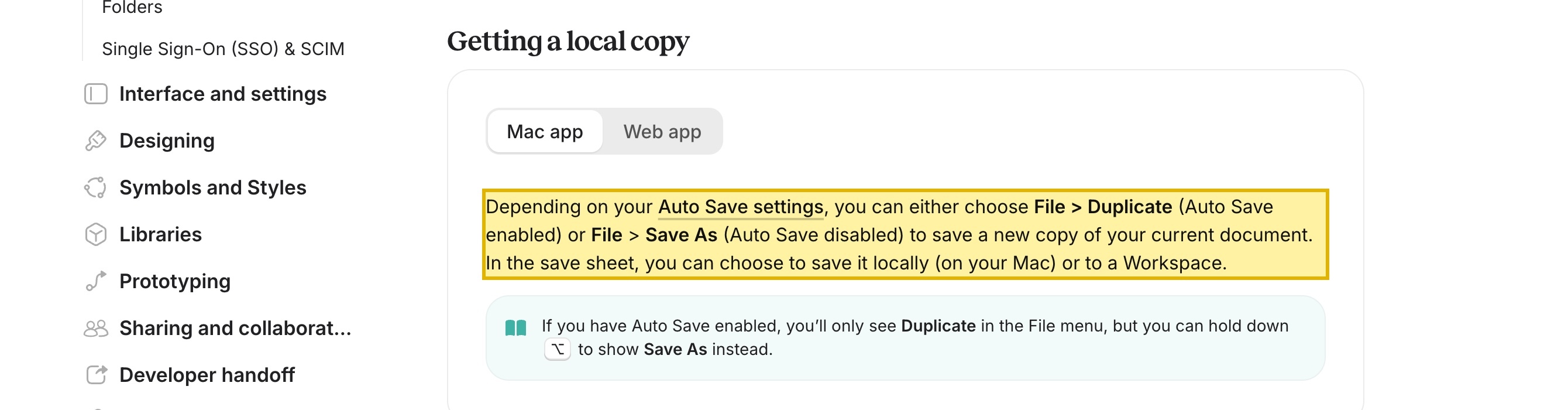
| In Sketch's own documentation: "In the save sheet, you can choose to save it locally (on your Mac) or to a Workspace." A Sketch document is a local file by default — your design work stays on your Mac unless you choose to put it in the cloud Workspace. | Sketch Docs — Saving and managing documents, retrieved 2026-10-13 |
| Sketch's docs on local vs. Workspace files: "local documents won't update in real-time and you won't be able to use mirroring with them" — real-time sync and co-editing are what the cloud Workspace adds, so the Workspace is the separate collaboration layer and a local file never leaves your machine. | Sketch Docs — Creating, opening & viewing documents, retrieved 2026-10-13 |
| Under the Personal Information Protection Law, sending personal information outside the mainland — including the PII embedded in a design file synced to an offshore Workspace — is a regulated cross-border transfer requiring a lawful basis, separate consent and a transfer mechanism (Articles 38–39). | PRC Personal Information Protection Law, Articles 38–39 (cross-border provision of personal information) |
| China's Cybersecurity Law requires critical information infrastructure operators to store personal information and important data collected and generated in the mainland within the territory — Article 39 (formerly Article 37) — so a localization duty can attach on top of the transfer rules. | PRC Cybersecurity Law, Article 39 (formerly Article 37) — data localization |
Sources verified by the 21YunBox compliance team on 2026-10-13.
For a team serving mainland China, the useful question about Sketch is almost never whether it opens. Sketch is a macOS design app: it launches and edits documents that live as local .sketch files on your Mac, so of course it runs in Shanghai or Shenzhen. The question that actually decides your compliance posture is where those documents live. A .sketch file is your proprietary creative work — unreleased product and interface designs, brand and campaign IP, client deliverables — and that work routinely embeds personal information: a mockup rendered with real customer records, a design review carrying client names and inline comments, the identities of the collaborators on a shared project. Whether you can open the editor is the delivery half; where your design files and the PII inside them come to rest is the exposure.
That second half is the part a connectivity test never sees. Because Sketch stores documents as local files by default, the residency outcome turns on a single choice: do you keep a document local on your Mac — or on in-country storage — or do you put it in Sketch’s cloud Workspace, the separate layer that syncs, shares and collaborates? Keep a file local and your design IP and the personal information inside it stay in-country; move it into the Workspace and that proprietary work, with the PII embedded in it, now sits on Sketch’s offshore cloud. Nothing about Sketch forces the cloud — which is exactly why the residency decision is yours to get right.
Sketch in China at a glance
| What decides it | In Sketch's own terms — and China's law |
|---|---|
| Where your .sketch files live | Documents are local files on your Mac by default. There is no vendor-fixed region and nothing leaves the mainland unless you move a file into the cloud Workspace — so a file kept local is in-country by design. |
| What a .sketch file carries | Your proprietary creative work — unreleased product and brand designs, client deliverables — and the personal information embedded in it: mockups built from real customer records, reviews carrying client names and comments, collaborator identities. That is personal information, not placeholder art. |
| The optional offshore pull | The cloud Workspace is the separate layer that syncs, shares and collaborates in real time. Putting a document there uploads your design IP and the PII inside it to Sketch's offshore cloud — but local work never requires it. |
| Synced to the Workspace | Once a file lives in the Workspace, that proprietary work and its embedded PII have left the mainland — a cross-border transfer PIPL governs; a CIIO or large-volume handler also owes an in-country storage duty. |
| The residency lever | Because documents are local by default, keeping your design files local or on in-country storage — and treating the Workspace as the offshore exposure — keeps the IP and PII resident, with the PIPL consent and transfer duties then yours to meet. |
| Is it reachable? | Treat reachability as the delivery half, not the question. The exposure is where your `.sketch` files and the PII inside them live, not whether the editor opens. |
Sketch stores your design work as local files — and the Workspace is the cloud layer
Because Sketch is a Mac app that works on local documents, there is no vendor region to accept or regret for the files themselves — a document’s location is a choice you make each time you save. Sketch’s own documentation puts it plainly: “In the save sheet, you can choose to save it locally (on your Mac) or to a Workspace.” Save a document locally and it is a file on your machine; move it to the Workspace and it becomes a synced, shareable copy on Sketch’s cloud. The docs draw the same line from the collaboration side — “local documents won’t update in real-time and you won’t be able to use mirroring with them” — because real-time sync and co-editing are exactly what the cloud Workspace adds, and exactly what a local file does not do. So keep your design work on in-country infrastructure — a designer’s Mac or in-country storage in the mainland — and your files and their embedded PII can stay resident; push them into the Workspace to collaborate, and every document you share for a China project is leaving the country.
The design work in a .sketch file is personal information
A design document is not anonymous vector art. Product and marketing mockups are routinely rendered with production-like — or real — customer records to look convincing: names, emails, order and payment fields, sometimes copies of live data. A design review thread carries client names and inline comments. A shared project exposes collaborator identities. The moment a mainland user’s identifier sits inside a mockup, or a client’s name sits in a review, that document holds personal information under China’s Personal Information Protection Law. Teams reach for sanitized placeholder data, and it is worth doing — but it answers the wrong half: swapping a name changes what a file carries, not where the file comes to rest. A sanitized-but-still-identifiable design synced to an offshore Workspace is still a cross-border transfer; masking lowers exposure, it does not make an offshore destination lawful.
Why a reachability check misses this
A “does Sketch work in China” connectivity test confirms the editor opens and a file loads. It cannot see the thing that decides compliance: whether your .sketch documents and the personal information inside them are sitting on a Mac in the mainland or on Sketch’s offshore cloud Workspace. Making the cloud merely reachable is not the answer — your design IP and embedded PII are still abroad; keeping the files in-country is. Under the Personal Information Protection Law, moving personal information outside the mainland — including the PII embedded in a design file synced to an offshore Workspace — is a regulated cross-border transfer that needs a lawful basis, separate consent and a transfer mechanism. On top of that, China’s Cybersecurity Law requires critical information infrastructure operators to store personal information and important data generated in the mainland within the territory — Article 39 (formerly Article 37) — so a data-localization duty can attach as well. Reachability speaks to none of it.
Map, localize, deliver — the lever
- Map. Inventory your
.sketchfiles and projects: which are proprietary IP, which embed PII (real customer records in mockups, real people in assets, client names in reviews), and where each one lives — local on a Mac, on in-country storage, or already synced to the cloud Workspace. Separate the cloud-synced (offshore) from the local. - Localize. Keep the design files and the PII inside them in-country — local on in-country machines or in-country storage, with an in-country review and handoff footing for sharing — and let only lawfully-exportable assets reach the offshore Workspace.
- Deliver. 21YunBox stands up the compliant in-country storage, review and handoff footing in front of (or alongside) the offshore creative cloud, with no rebuild of how your designers work. We do not make the offshore cloud “reachable” and call it solved — we keep your proprietary design work and the personal information in it resident.
Keep your design work in-country
Sketch running in China is the easy part; where your .sketch documents and the PII embedded in them live is the part that carries legal risk. Because the app works on local files, you already hold the lever — the exposure is the optional cloud Workspace, not the editor. Tell us your stack and how your designers collaborate, and our China compliance team will map where your design files and the personal information inside them actually live, keep them in-country, and stand up the lawful review and handoff footing you need. Get a compliance assessment and we’ll walk through your China setup.